My account and messages
Review your account
Expand My Account and select Account Settings. Confirm the profile name. The inspected page contains Directory Information, Academic Sections, and Labs.
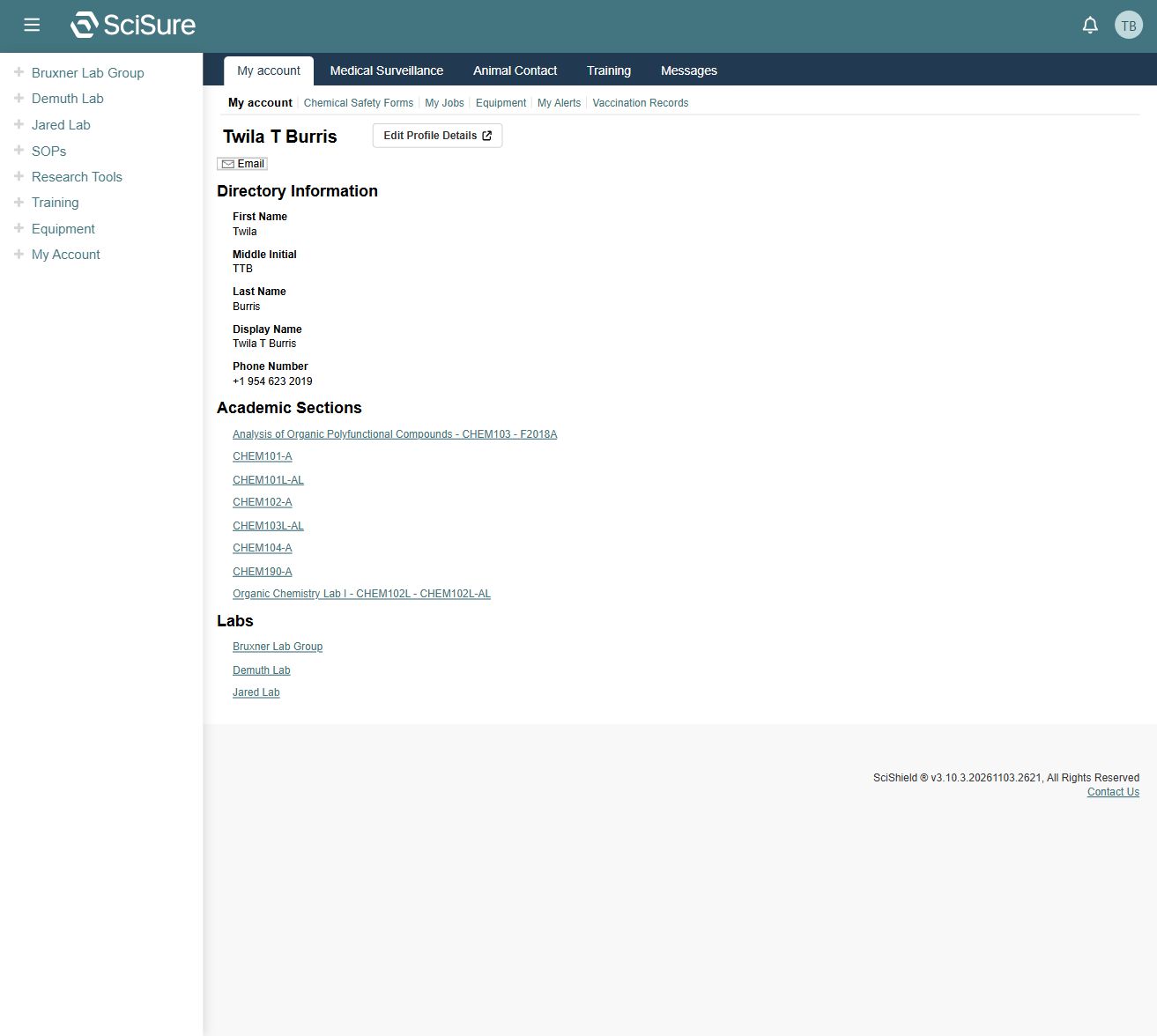
Directory fields include first name, middle initial, last name, display name, and phone number. Lab and academic-section names are links to their respective records.
The page's Edit Profile Details link points to https://localhost:5301/account/profile in this local environment. It is a separate local service. Editing was not followed or tested. If that destination is unavailable, check the profile service configuration with the development team.
Other account navigation
Observed navigation includes Medical Surveillance, Animal Contact, Training, and Messages, with additional profile links for Chemical Safety Forms, My Jobs, Equipment, My Alerts, and Vaccination Records.
Those labels establish entry points only. The contents, permissions, and workflows of health-related and job-related pages were not inspected. An account-specific Animal Contact setup reminder also appears on the captured home page.
Read messages
The home page shows a Messages block with dated subjects and View Entire Inbox. Select a subject to open an individual message. The sidebar also offers My Account → Messages.
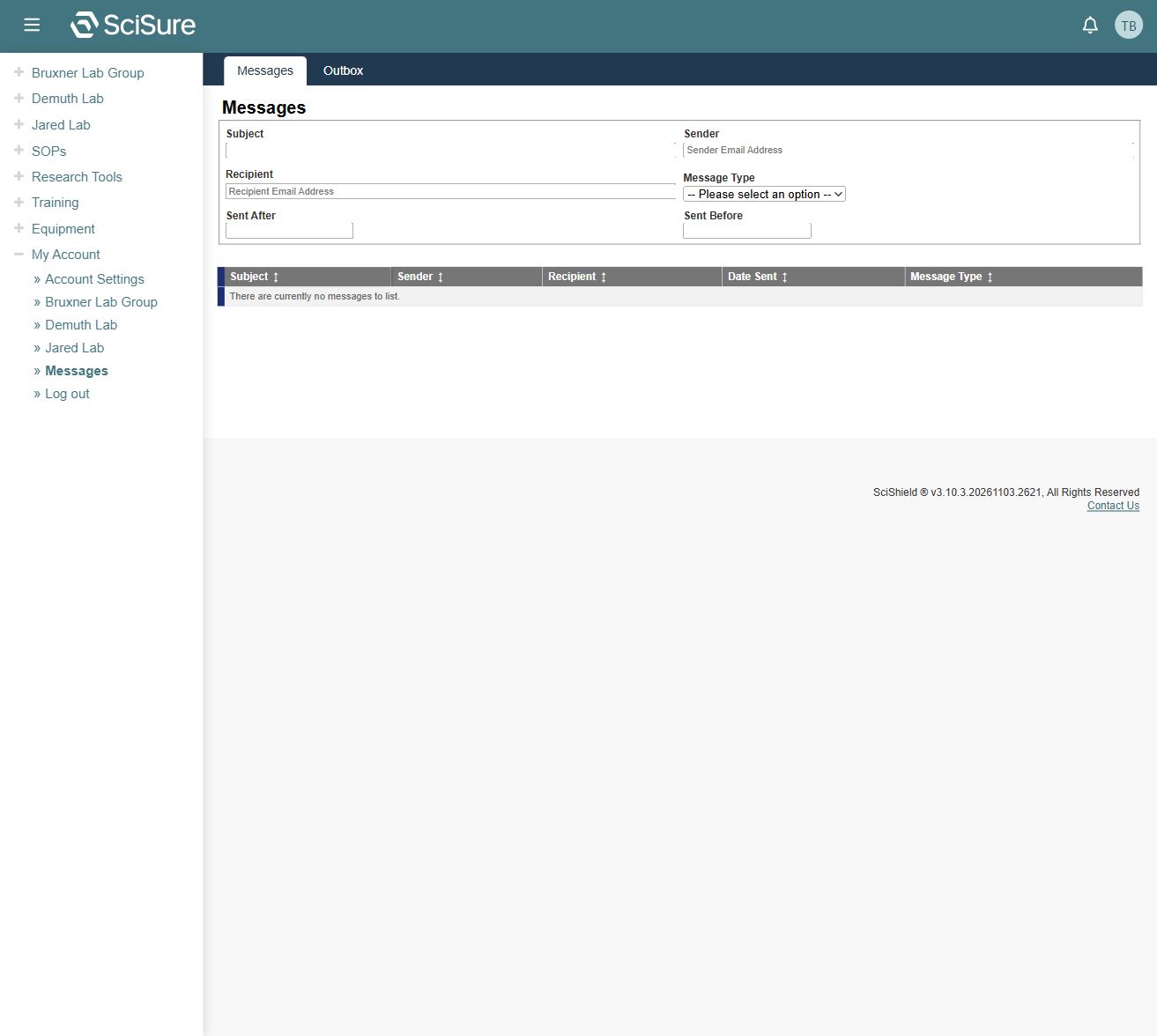
The inspected Messages page has filters for Subject, Sender, Recipient, Message Type, Sent After, and Sent Before. Its columns are Subject, Sender, Recipient, Date Sent, and Message Type, with sortable headings.
The captured page displayed There are currently no messages to list, although the home page had recent messages. This discrepancy is recorded as an environment observation. If you see it, clear filters and try the original home-page subject link. It does not prove that the messages were deleted.
Individual message contents, read/unread behavior, attachments, composing, delivery, and deletion were not inspected or tested.
Notifications and signing out
The header contains Notifications and User menu controls. The sidebar's My Account section exposes Log out. The menu contents and logout outcome were not exercised because the authenticated session was needed for capture.
Related: Getting started, Training, Troubleshooting.