Labs, members, and spaces
Open a lab profile
- Expand the lab's name in the sidebar.
- Select View Lab Profile.
- Check the main heading to confirm the lab.
The profile shows the principal investigator, group compliance liaisons, department, building and rooms, safety contacts, research focus, lab categories, major hazard categories, and the last PI hazard certification date. A compact compliance summary links to the dashboard.
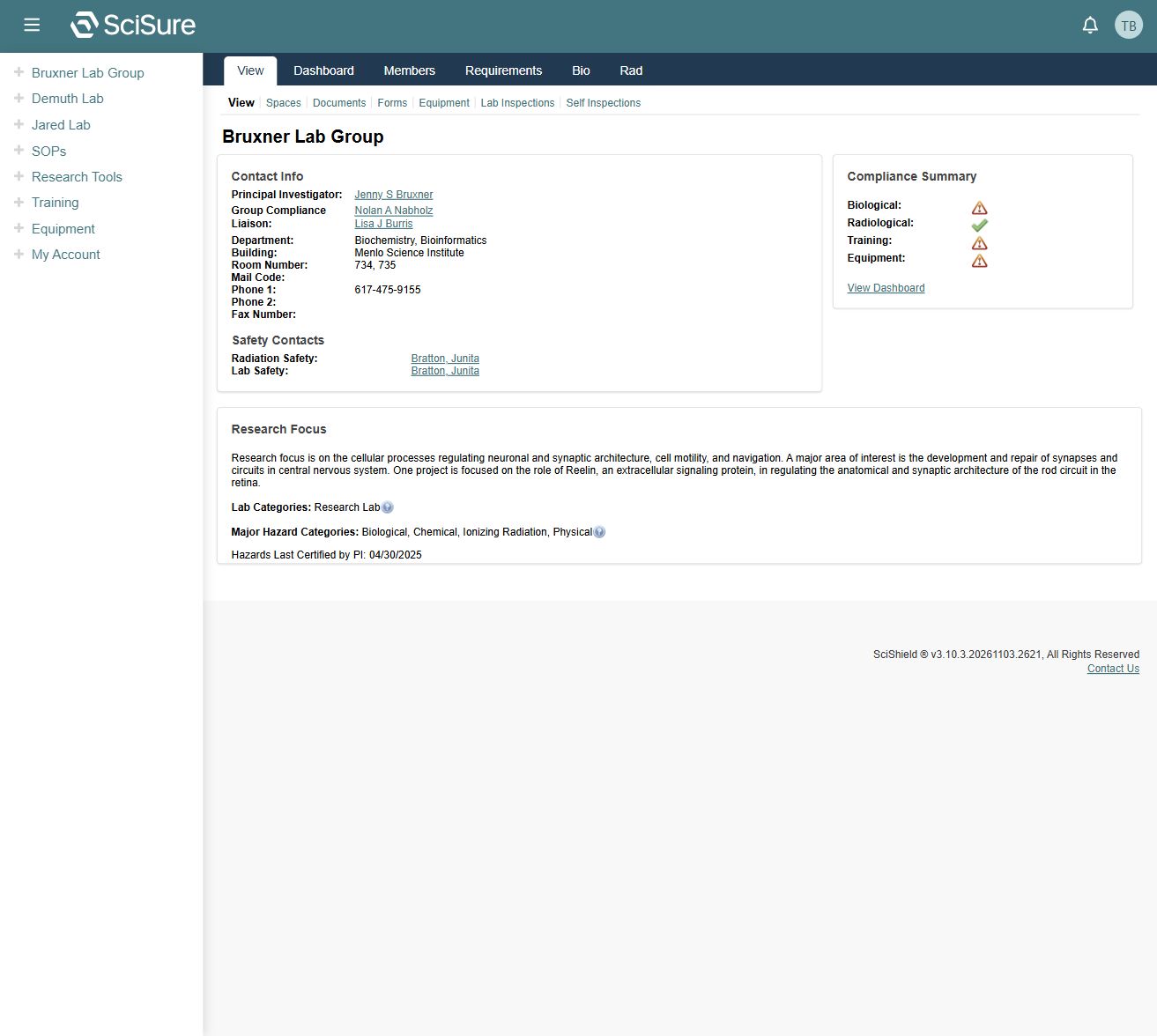
The inspected example resolves to /node/19939. The sidebar uses /raft/group_page/19939/view; the application may redirect to a canonical node URL. Numeric IDs are specific to this dataset. Navigate through menus on another institution's deployment.
Understand the two tab levels
The upper lab navigation provides View, Dashboard, Members, Requirements, Bio, and Rad. Under View, another row provides Spaces, Documents, Forms, Equipment, Lab Inspections, and Self Inspections.
Use the upper navigation to switch between lab-wide functions. Use the second row for records associated with the profile.
Find members
Select View Members in the lab menu or Members in the upper navigation. The member table contains Name, Group Role, Email, and Designation.
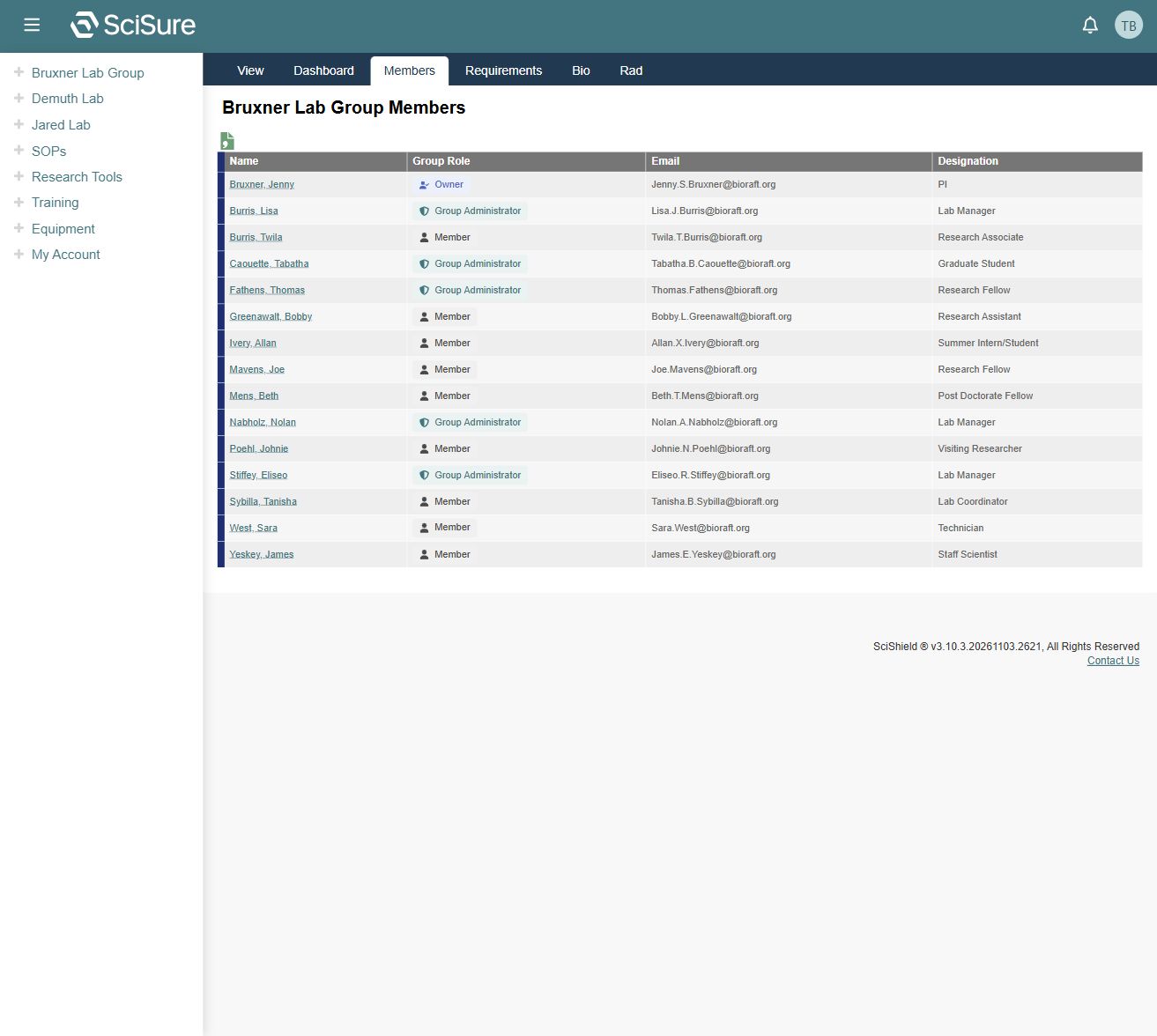
The captured roles include Owner, Group Administrator, and Member. Designations include roles such as PI, Lab Manager, and Research Associate. Group role and designation are separate fields; a job designation alone does not establish editing permissions.
Select a person's name to open their profile. Membership editing, invitation, removal, and permission changes were not exposed on the inspected member list and are not documented as available actions.
Find a lab space
- Select View Lab Spaces, or open View → Spaces.
- Use the Hazards filter if relevant.
- Read the space name, description, contact, associated labs, hazard update date, and door sign date.
- Select the space name to open its detail record.
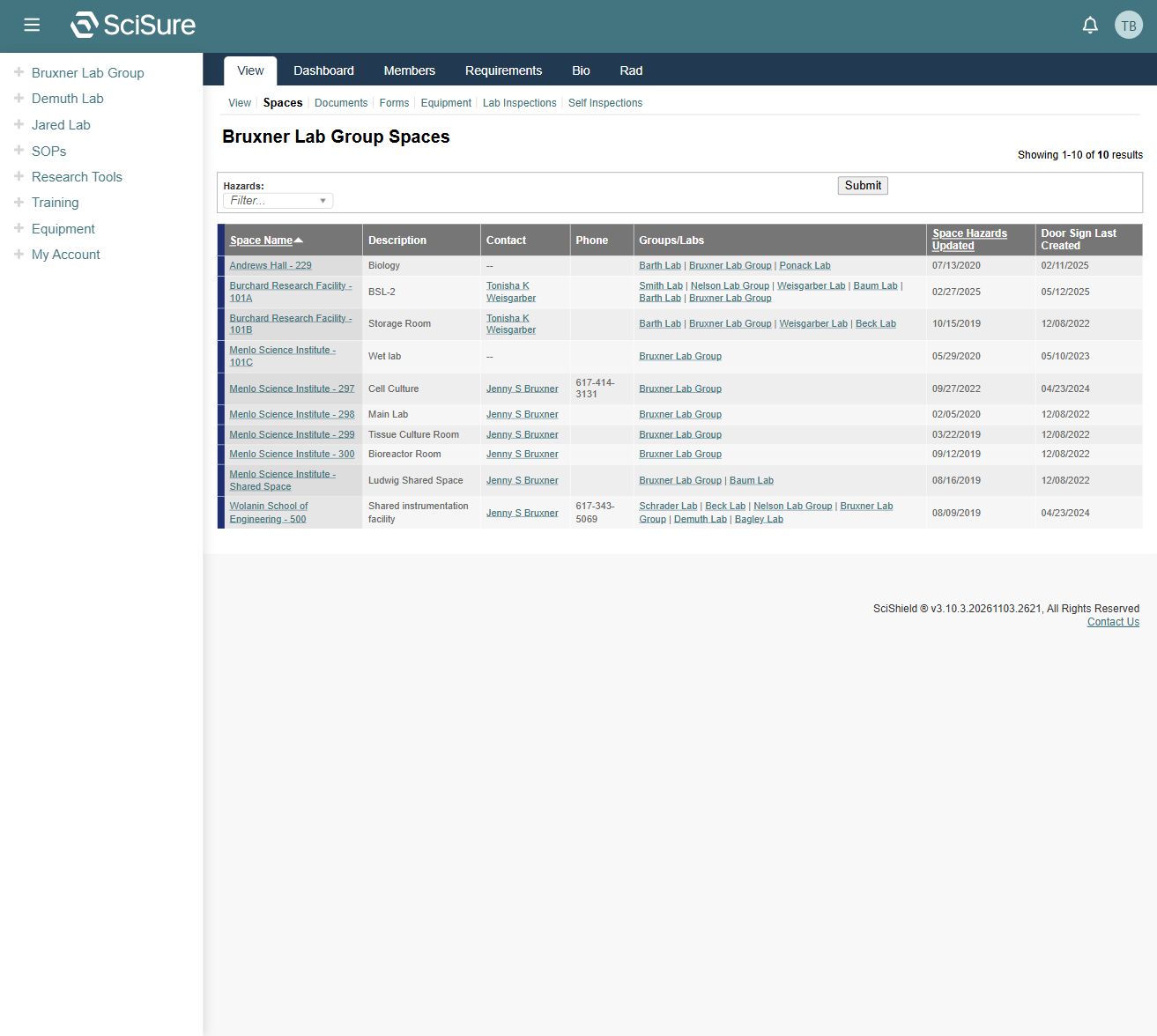
Multiple labs can be associated with one room. A room's appearance in your lab list does not mean it is used exclusively by that lab. Space Hazards Updated and Door Sign Last Created represent different events; compare them when investigating an outdated sign.
The captured table has sortable Space Name and Space Hazards Updated headings. Space detail editing and door sign generation were not exercised.
Documents, forms, and equipment
Documents in the lab profile is distinct from the institution-wide Research Tools → Document Library. Its tab was observed, but its contents and upload workflow were not inspected.
Forms opens the lab's review and submission list. See Lab forms.
Equipment provides a lab context for assets. My Equipment may contain assets from several labs and spaces. See Equipment.
Contact the lab
Use the profile's compliance liaison and safety contacts to identify the right person. The lab menu also exposes Send Lab Message. Its compose and delivery workflow was not exercised; verify recipients before sending a real message.
Next: Compliance dashboard.