SciShield application guide
Practical documentation for researchers, lab members, principal investigators, and compliance staff using the SciShield Scientific Management Platform.
This guide was verified on 12 November 2026, using the logged-in local application at http://earth.127.0.0.1.nip.io:8083. The footer identifies the build as v3.10.3.20261103.2621. Examples use the available Bruxner Lab Group and the current member account. Your institution, enabled modules, memberships, and permissions determine what you see.
Start with your task
| I want to… | Read |
|---|---|
| Understand the home page and navigation | Getting started |
| Find my lab, members, rooms, or documents | Labs, members, and spaces |
| Find overdue work and compliance requirements | Compliance dashboard |
| Take training or find a certificate | Training and courses |
| Check equipment status or audit dates | Equipment |
| Read inspection history and required checks | Inspections |
| Track approvals or submit a lab form | Lab forms |
| Review biological registrations and certification | Biological safety |
| Find isotope authorizations, vials, or pickup tools | Radiological management |
| Find an SOP, SDS, document, or contact | Research resources and SOPs |
| Report a safety concern, incident, or near miss | Safety reporting |
| Review my profile and messages | My account and messages |
| Resolve missing menus, records, or integrations | Troubleshooting |
| Run or host this documentation | Hosting and maintenance |
A useful daily routine
- Open the home page and review Needs Attention, Required Training, and Messages.
- Select the correct lab in Compliance Summary for.
- Open View Dashboard and review training delinquencies, equipment audit dates, and authorization status.
- Use the lab's Requirements, Lab Inspections, and Self Inspections pages for detailed follow-up.
- Open the relevant source record before acting. A summary count is a starting point; the record contains the context.
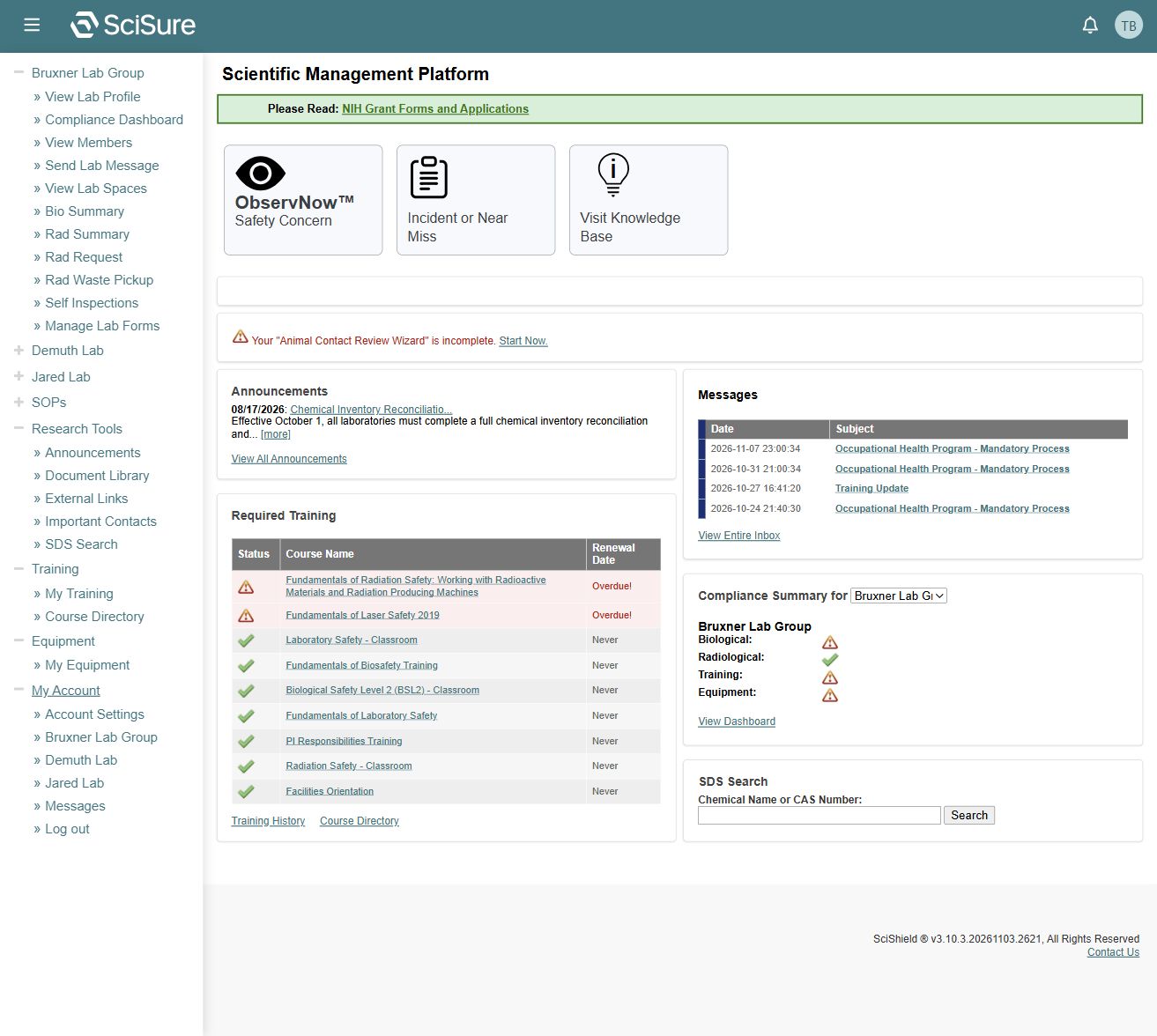
Screenshots are expandable: select an image to view the original. Names, dates, counts, and sample records belong to this local dataset and will change.
Read as Markdown or HTML
Every guide has a View Markdown link above its HTML content. The Markdown files are the canonical source; the server renders them at request time.
Agents can start from the AI index, the JSON index, or the complete Markdown corpus. Individual files are available directly, for example training.md. No browser JavaScript is needed to retrieve guides or search results.
Search behavior
Search checks the full Markdown source of each page, including its title. Every space-separated word must occur somewhere in the same page. Matching ignores case and uses literal substrings; word order and adjacency do not matter.
training overdueandoverdue trainingreturn the same pages.biocan matchbiological.- Quotes,
%, and*are literal characters, not special operators. - A blank query asks for search words rather than returning every page.
See scope and verification for what was inspected and which downstream actions remain unverified.