Equipment
Find equipment available to you
Open Equipment → My Equipment. The page explains that it includes equipment you can access directly and equipment recorded for a lab or space you are assigned to.
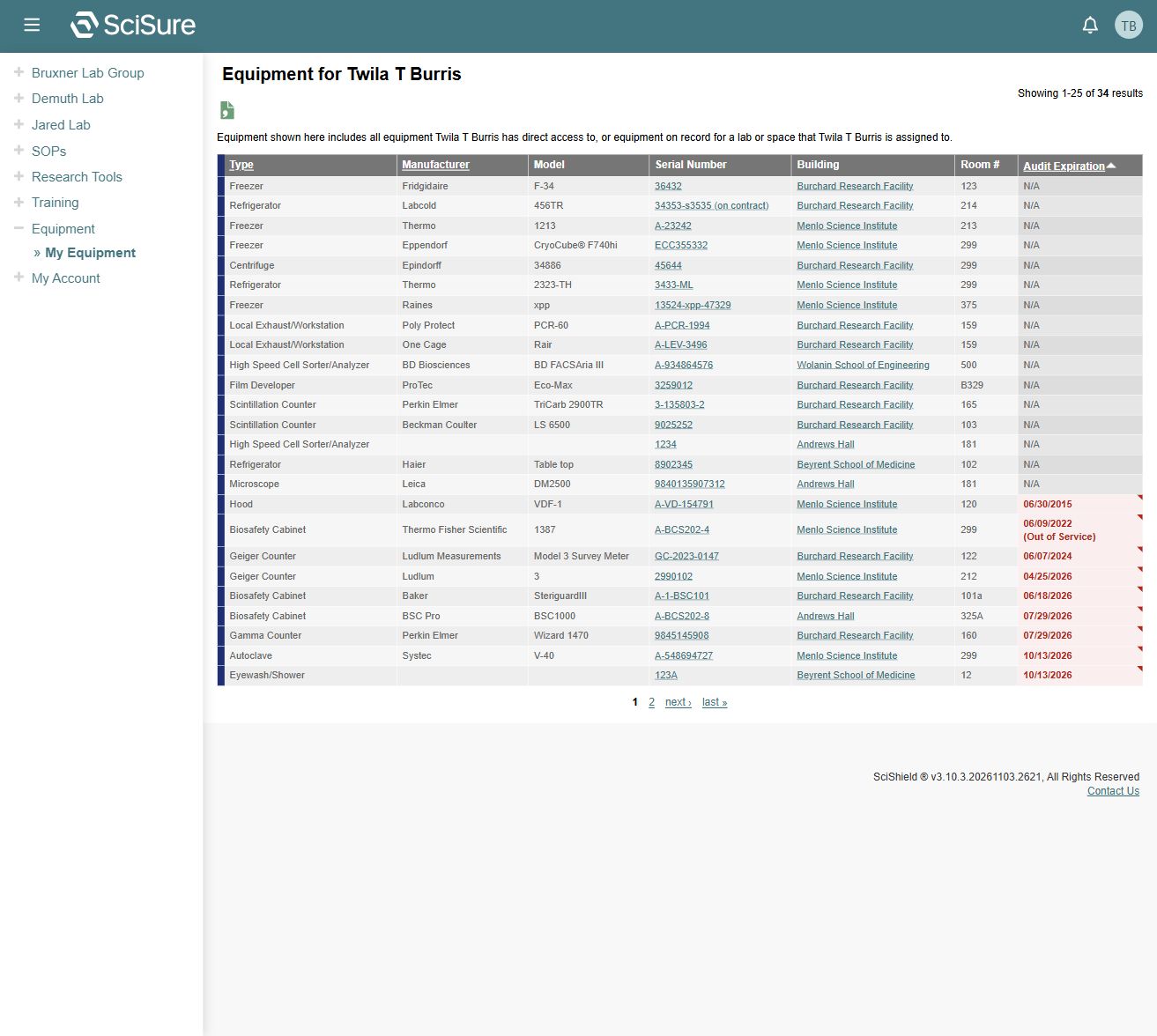
The captured account has 34 results, with 25 shown on the first page. Use the numbered pages, next, or last to inspect the remaining results.
| Column | Use |
|---|---|
| Type | Identify the category, such as freezer, hood, or biosafety cabinet |
| Manufacturer / Model | Distinguish similar assets |
| Serial Number | Open the equipment detail record |
| Building / Room # | Confirm physical location |
| Audit Expiration | Identify recorded audit deadlines or missing applicability |
Type, Manufacturer, and Audit Expiration are sortable in the inspected list. A lab's profile also has an Equipment tab, and its dashboard includes an equipment summary.
Inspect an asset
Select the serial number. Check identity and location before using the record for follow-up.
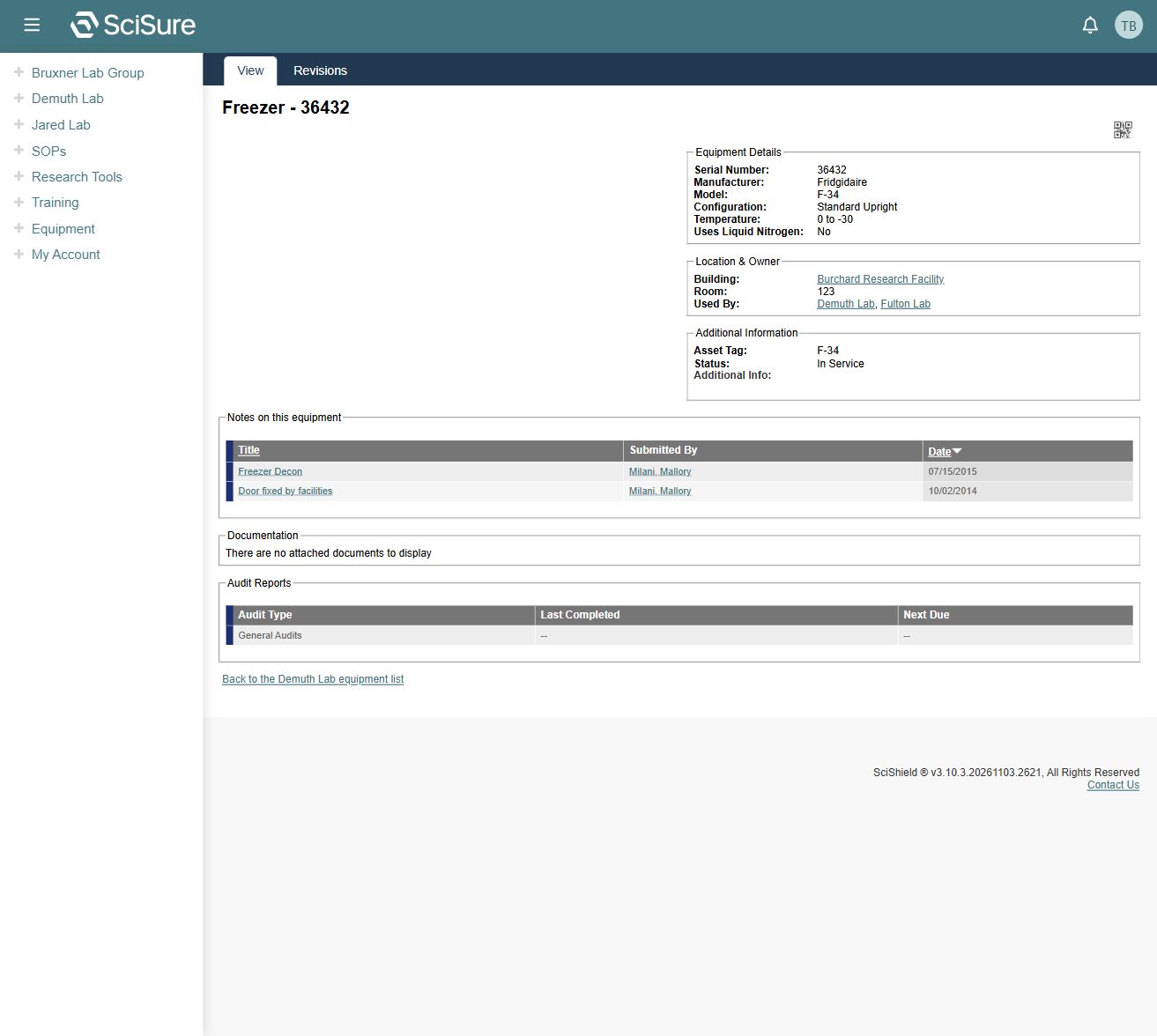
The inspected freezer record contains:
- Equipment Details: serial number, manufacturer, model, configuration, temperature, and liquid nitrogen usage.
- Location & Owner: building, room, and labs using the asset.
- Additional Information: asset tag, status, and additional details.
- Notes on this equipment: note titles, submitters, and dates.
- Documentation: attached files, or an explicit empty state.
- Audit Reports: audit type, last completed, and next due.
Fields vary by equipment type. The freezer's details should not be assumed to be the form for a laser or radiation device.
Review audit status
Use Audit Expiration in the list and Audit Reports in the detail record together. Some rows show N/A, while others have dated expirations. One captured biosafety cabinet is explicitly Out of Service. An asset's presence in the list does not establish that it is available for use.
The lab's Requirements page provides equipment-specific requirements such as calibration, certification, and tests, including the asset to which each applies. See Compliance dashboard.
Request a correction
If the model, serial number, location, status, or audit history appears wrong, record the asset identity and contact the responsible lab or equipment/compliance staff. Asset creation, editing, service status changes, audit submission, and document uploads were not exercised or verified for this account.
Related: Labs, members, and spaces, Inspections.