Inspections and self inspections
Choose the right inspection list
Open the lab profile and select Lab Inspections or Self Inspections. The lab menu also offers Self Inspections directly. These are separate histories with their own required checks.
The compliance dashboard summarizes recent inspections over the displayed last 18 months. The full logs include older records. An empty recent summary does not imply the lab has never been inspected.
Lab inspections
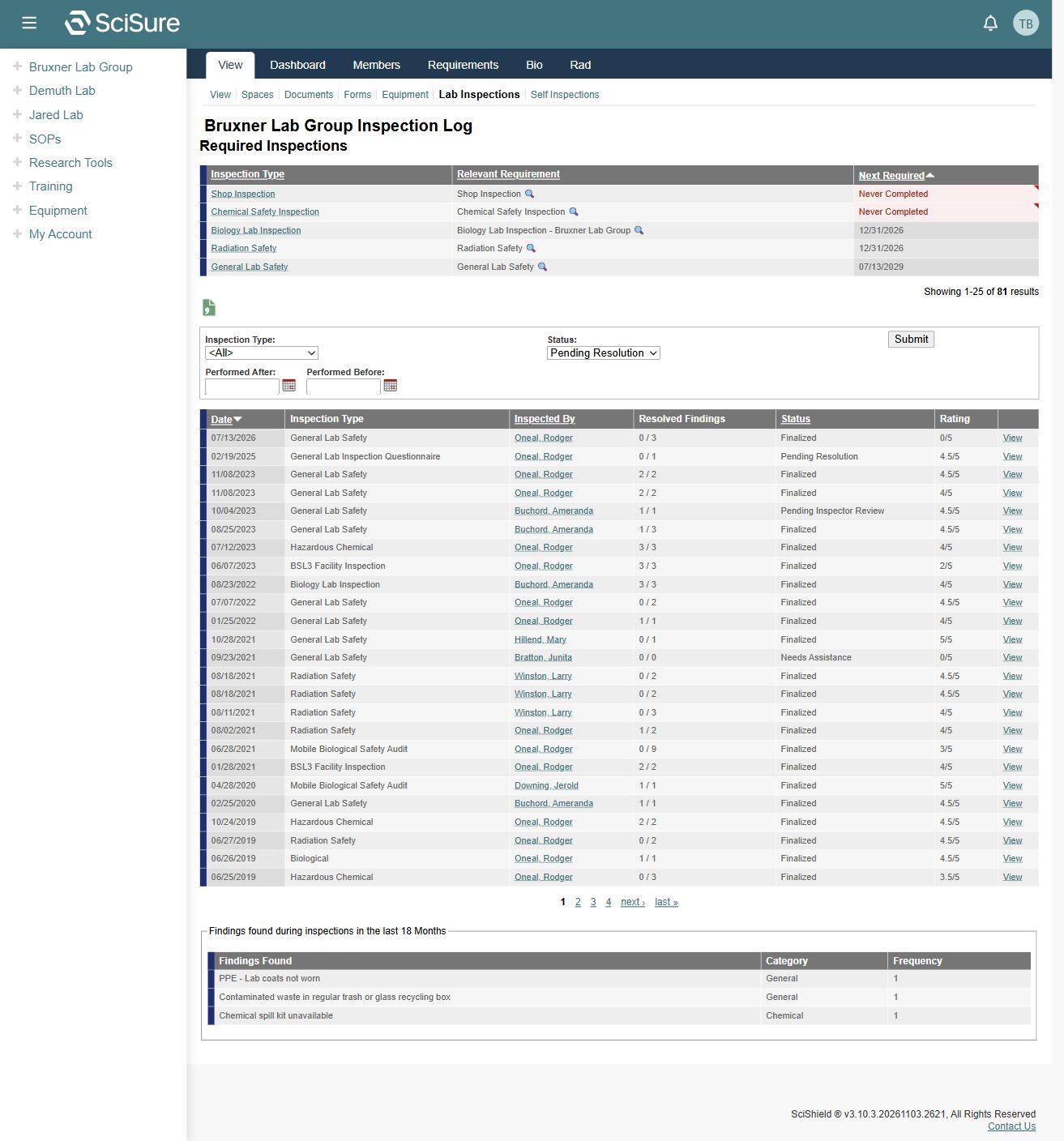
The page starts with Required Inspections, showing the inspection type, relevant requirement, and next required date. A Never Completed value calls attention to a missing recorded completion for that requirement.
The inspection log shows Date, Inspection Type, Inspected By, Resolved Findings, Status, Rating, and View. Use Inspection Type, Status, Performed After, and Performed Before to narrow the list. The captured list has 81 results across four pages.
- Confirm the lab name.
- Set a type or status filter if investigating a particular issue.
- Open View beside the relevant inspection.
- Review the findings in that inspection before arranging follow-up.
Inspection detail and finding resolution controls were not inspected. Do not assume the captured account can finalize an inspection or resolve a finding.
Interpret status and findings separately
Observed status options include Pending Resolution, Needs Assistance, Pending Inspector Review, and Finalized. They describe workflow states shown by the application.
The captured list includes a finalized inspection with 0 / 3 resolved findings. Therefore, Finalized alone does not establish that every finding has been resolved. Read Resolved Findings and the inspection record together.
The finding-frequency section below the history summarizes categories over the displayed 18-month window. Use it to identify recurring issues, then open the source inspections for context.
Self inspections
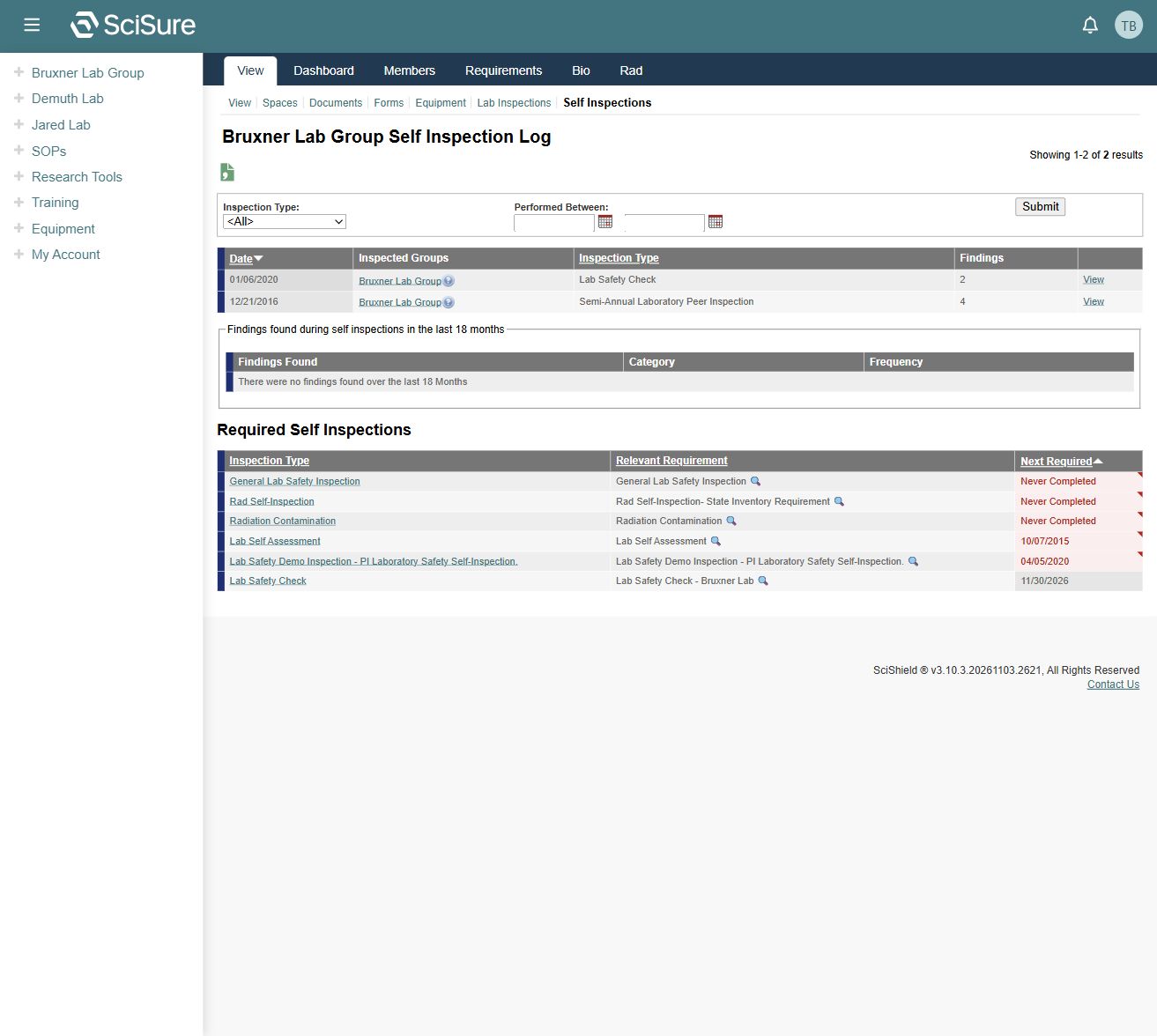
The self inspection log has an Inspection Type filter and a Performed Between date range. Rows list the date, inspected groups, inspection type, findings count, and View.
Below the history, Required Self Inspections lists inspection types, relevant requirements, and next required dates. The captured lab has two historical self inspections, no findings within the recent summary window, and several required checks. These facts can coexist because history, recent summaries, and requirements answer different questions.
Follow up on a requirement
Compare Required Inspections, Required Self Inspections, and the lab's Requirement Summary. Confirm which inspection type applies and whether its deadline is dated or Never Completed. If the lists disagree, bring the requirement and inspection names to compliance staff rather than treating one summary as decisive.
Creating an inspection, submitting answers, attaching evidence, resolving findings, and final approval were not performed for this guide.